
OMO — Omni Media Orchestrator
Why OMOProductsSolutionsResourcesPricingCompany
KADemo callSign inBook a demo
OMO — Omni Media Orchestrator

One voice.Four business workflows.Complete control.

Voice AI that turns every call into a completed business workflow and attaches a verifiable record to every outcome.

Plan your voice workflow Demo call

Direct contact

+995 32 205 45 61 Send an enquiry

Demo, implementation and technical integration from one contact point.

Products

  • Appointment booking
  • Outbound sales
  • Customer surveys
  • Voice menu

OMO

  • Why OMO
  • Human operator vs OMO
  • Solutions
  • Resources
  • Pricing
  • About us
  • Security

Help

  • Demo number
  • Frequently asked questions
  • Contact

Legal

  • All documents
  • Privacy
  • Terms
  • Cookie policy
  • Data processing
  • Acceptable use
  • Service levels
  • Accessibility

© 2026 OMO. All rights reserved.

PrivacyTermsAccessibility
Sign in to the app
HomeProductsVoice menu
04

Conversational IVR and smart routing

The user naturally tells the reason. OMO identifies the target, verifies identity when necessary, and routes the call to the correct department, agent, or self-service process.
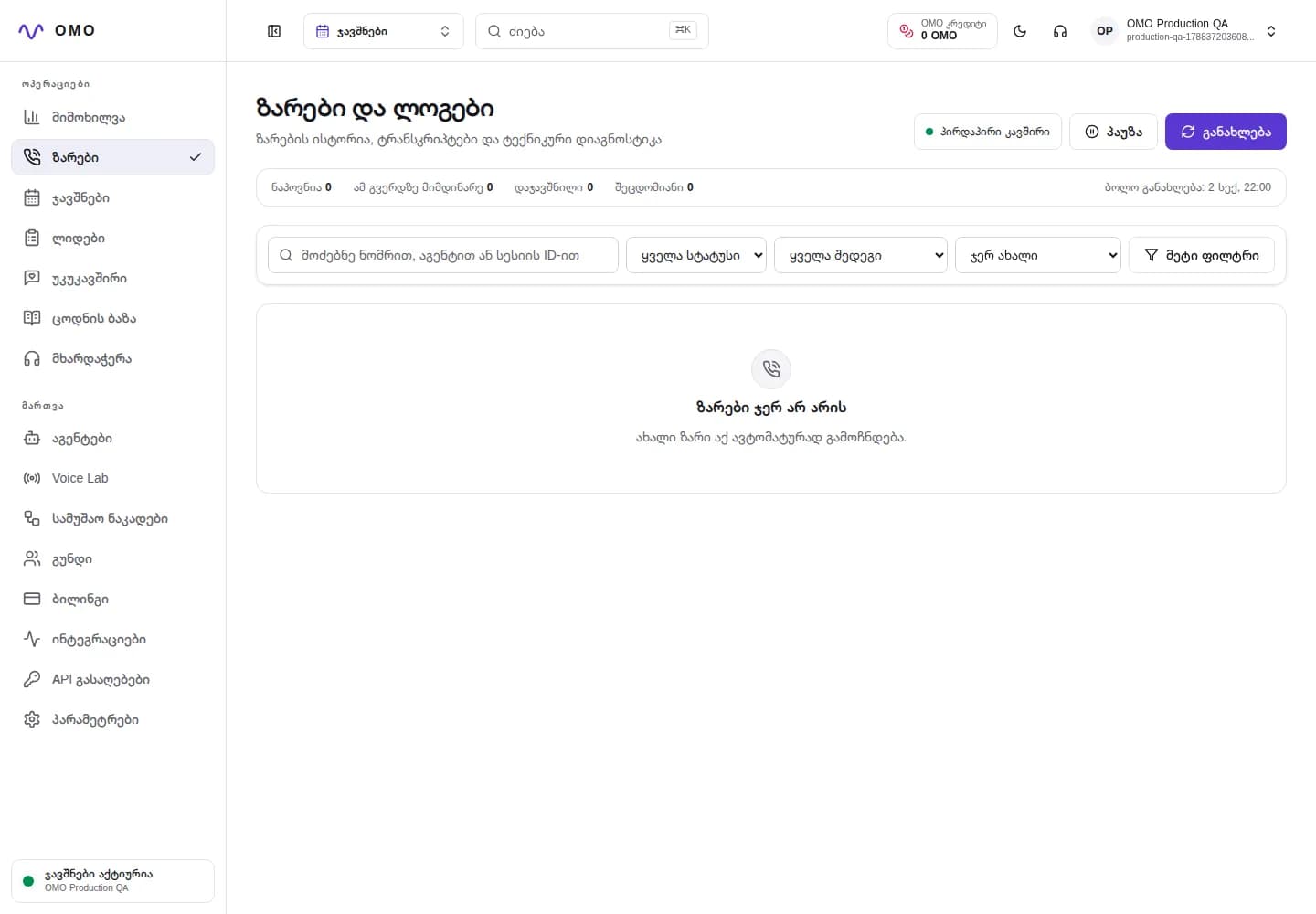
Request a demo Phone demo
Voice menu
OMO Real Calls and Diagnostics Panel with Demo Data
Real OMO panel · Secure demo data

Who is it for?

For businesses where customers need to be able to express their purpose naturally and get to the relevant service quickly.

Final outcome

A shorter path to the caller's real goal, without long menus or repeated explanations.

What does it solve?

Problems that go beyond the call.

  1. 01

    Long IVR menu of buttons and getting to the wrong section

  2. 02

    Listening to the menu again

  3. 03

    Loss of context before switching to operator

  4. 04

    Incomplete routing cause logging

Conversation architecture

One call—from request to confirmed action.

  1. 01

    Listening to the goal

    The user will not remember the menu numbers.

  2. 02

    clarification

    One quick question just in case the direction is unclear.

  3. 03

    checking

    Secure identity or claim validation when needed.

  4. 04

    route

    Self-service, specialist or relevant department.

  5. 05

    Save the result

    A shorter path to the caller's real goal, without long menus or repeated explanations.

Conversation example

Natural language with clear operational meaning.

Caller

I want to know the status of the order.

OMO

Tell me the order number and I will check the status now.

Purpose recognized — order support

Operator control

What the team manages in the dashboard

  • Management of intents, destinations, and fallback rules
  • Binding a specific conversation process to a number
  • Session events, transcript, delay and errors
  • Saving the switch reason and context

Reliable behavior

Guardrails that belong in every workflow

  • When the target is unclear, the agent asks one short question
  • A high-risk operation is not completed without the necessary checks
  • A caller’s request to speak with a person is not blocked
  • Exceptional cases follow an agreed route

Integration points

Direct SIP routeCRMInternal APIWebhookOperator phone numbers

Where is it used?

One conversation script, tailored to your process.

01Customer support
02Billing
03Status of orders
04Finding the right team

Frequently Asked Questions

Important answers before launch.

Does the user need to press buttons?

No. The caller states the purpose naturally, and the system selects the appropriate workflow or department.

Can I switch directly to the operator?

Yes. When there is a defined intent, risk or customer request, the call is transferred to the appropriate number.

Is context lost when switching?

The system saves the reason for the request and the received data so that the subsequent process does not start the conversation from scratch.

Practical guides

Learn how this workflow works technically and operationally.

01What is the Georgian voice AI agent and how does it work?

Full explanation of Georgian voice AI agent: from telephony to speech recognition, process decision, actual action and audit trail.

02How a voice AI agent is tested before launching in a real environment

Voice AI quality plan: dialogue scenarios, audio, delay, conversation overlay, error recovery, action correctness and agent simulation.

03LiveKit and Pipecat: How telephony and conversation management are distributed

Roles of LiveKit SIP and Pipecat Flows in a voice AI system: media, real-time data flow, defined state, tool invocation, data storage, and scaling.

Other OMO products

One workspace, multiple voice workflows.

BookingsFrom an incoming call to a confirmed calendar booking.Outbound salesFrom campaign contact to a qualified lead and a clear next action.SurveysTurn a real conversation into a rating, reason and follow-up action.

Voice menu — hear it in your real scenario

Tell us how your calls work today, and we will map the first voice workflow around your real requirements.

Request a demo +995 32 205 45 61